

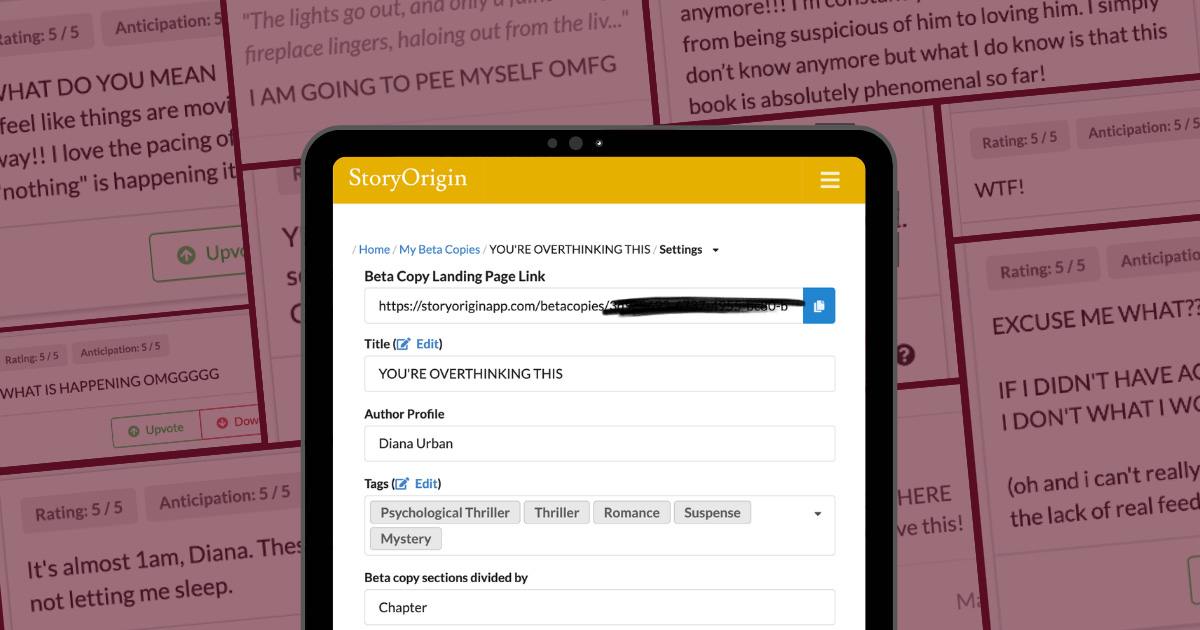
After running a 30-person beta reader team for my self-publishing debut, You’re Overthinking This, I’ve gotten a lot of questions about how I managed such a big team and wrapped my head around all that feedback.
So today I’m sharing my review of StoryOrigin’s Beta Copies tool, which I used to distribute the manuscript and collect feedback, and made this process much easier. Earlier posts in this series:
The overwhelm issue I wanted to solve
When I first set out to recruit my betas, I was so overwhelmed. Sending my shiny new manuscript as a Word doc or PDF to a big group seemed daunting and unsecure.
Several authors recommended I use Google docs instead and disable downloading/sharing, which helps with the security issue, but I’d still have to deal with overwhelming file management (if everyone gets their own doc) or potential arguments breaking out in the comments (if everyone shares a doc). Then I learned about StoryOrigin’s Beta Copies tool in the Discord Indie Authors Ascending and decided to give it a shot.
Spoiler alert: StoryOrigin made this whole process SO much less overwhelming.
What is StoryOrigin’s Beta Copies tool?
StoryOrigin is a marketing platform for authors with a variety of tools (ARC distribution! newsletter swaps!) but here I’ll focus specifically on their Beta Copies feature.
This tool lets you upload a manuscript, invite a team of beta readers, and collect chapter-by-chapter feedback in one organized dashboard. Instead of having to create 30+ different files to email out, readers log in to a single interface, read your book chapter by chapter, and leave feedback as they go. And you get to see updates from them in real time all in one place.
To use the Beta Copies tool, you need to upgrade to StoryOrigin’s Standard Plan, which is $10/month. I upgraded for just the two months I used this tool, and I plan to upgrade again when it’s time to get feedback on my next manuscript. I already use BookFunnel for my reader magnets and will be using them for ARC distribution as well, so an annual subscription for another similar platform didn’t make sense for me.
My favorite things about this tool
Here why I’ll keep using StoryOrigin’s Beta Copies for future beta teams I run:
1. All your feedback lives in one place. No wrangling 30 separately-named files! Woohoo! Yes, there are ways to collate the comments into one Word doc at the end, but it still felt like such a chaotic process to manage. In StoryOrigin, every reader’s feedback feeds into one dashboard you can sort, tag, and filter. This alone made it worth it for me.
2. Readers have to earn each chapter. They can’t move on until they leave a comment at the end of the chapter, which means you get actual feedback throughout instead of a vague “loved it!” at the end. Readers don’t just get a free read; they have to engage. And many of my readers said this process was fun for them, too!
3. Readers stay in their own silos. This was huge for me. It prevented groupthink; if 30 people all comment in the same Google doc, they’d bias each other, and debates could break out. In StoryOrigin, every reader sees only their own comments, which means when three different people (or *cough* 13 *cough*) independently flag the same line as cringey, you know it needs fixing. And they can feel comfortable sharing their honest thoughts knowing lots of other beta readers won’t see their comments.
4. It’s way more secure. Readers can’t download the manuscript or see the whole thing at once. They access one chapter at a time through a web interface and, again, they need to comment to unlock the next. It’s the most secure solution I’ve found!
5. Real-time visibility into reader progress. Being able to watch reactions roll in chapter by chapter (instead of waiting weeks for one email) was both useful and incredibly fun. Some of my favorite moments of my entire publishing journey came from refreshing my StoryOrigin dashboard. It’s rare to get real-time reader reactions, and I loved seeing them scream at me, gasp, and laugh as they progressed through the story.
6. Iterate as betas read. This was also HUGE for me. Because you can see everyone’s comments in real time, you don’t have to wait for everyone to finish the manuscript to make edits. For example, you can upload a revised version of Chapter 3, and slower readers automatically see V2. Your faster readers can also pop back in and re-read if they’d like. THIS SAVED ME MONTHS. MONTHS!! See this article for more details on how I ran a multi-wave recruitment process, which helped make this possible.
7. You control access. Set an expiration date for the manuscript, extend it for specific readers (or everyone), revoke access if you need to, all from one panel. No outdated PDFs lingering out in the wild forever!
8. The critique guidance box. When setting up your manuscript, you can paste in your “Critique Guidance,” and readers see this at the bottom of each chapter as a constant reminder of what sort of feedback you’re looking for. This also saves them from having to keep referring back to a separate survey. I shared the critique guidance I pasted into StoryOrigin in this article.
9. Ask wrap-up questions. The end-of-manuscript questionnaire lets you collect final feedback without needing to use a separate document, survey tool, or Google form. (You can also sprinkle questionnaires between chapters if you’d like. I didn’t.)
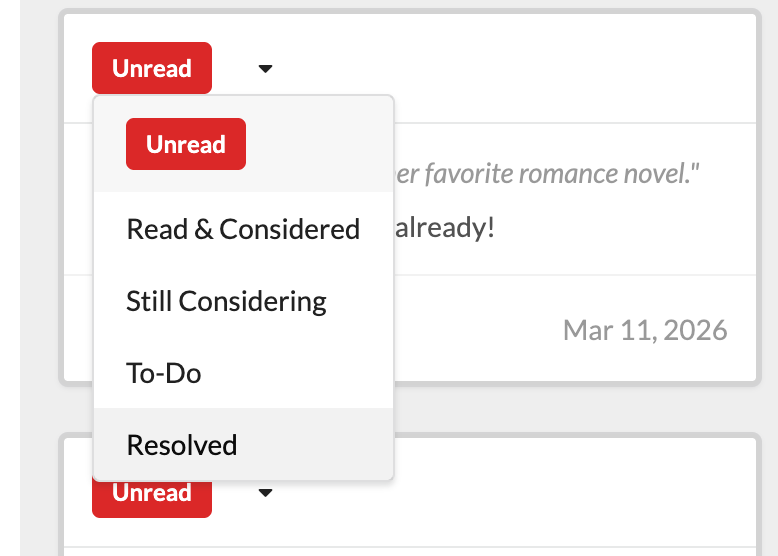
10. Label chapter-end feedback and inline comments. Being able to assign statuses to each piece of feedback helped me stay organized as I edited. The default is Unread, and you can change the status to Read & Considered, Still Considering, To-Do, and Resolved. Then you can filter comments by each status type at the top of the panel.
Improvements I’d love to see
Again, StoryOrigin was genuinely worth the cost for me and I’ll definitely keep using it. But, for transparency’s sake, here’s my wishlist of things that would make it even better:
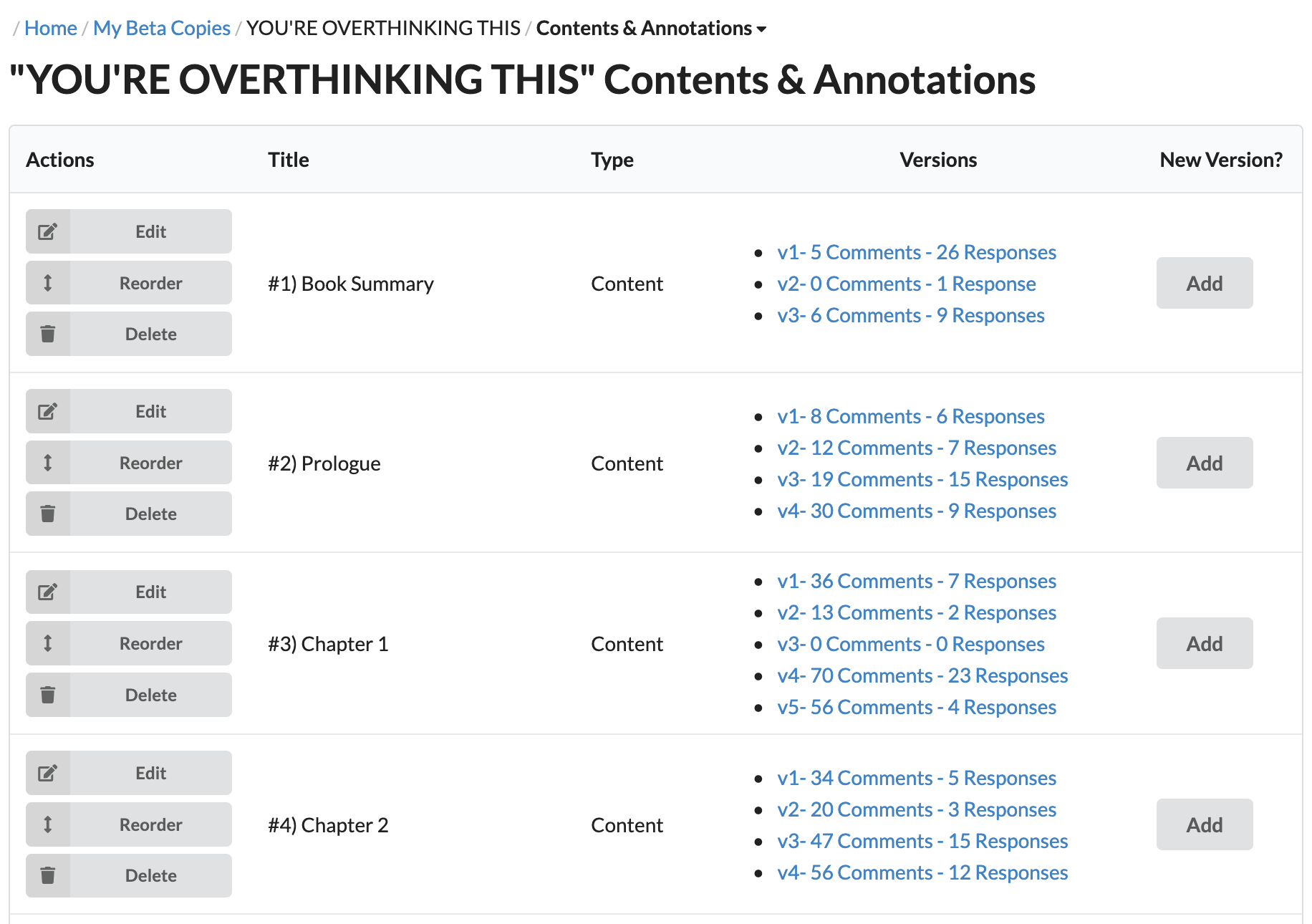
1. Add a “Status” column to the Contents & Annotations view. Right now, when betas leave inline comments, there’s no easy way to see at a glance which chapters you’ve already edited and which still have comments you need to address. You need to keep a separate spreadsheet to track this (if you track it at all), and once you have multiple versions for each chapter, ack! A simple column that auto-counts “X Unread” (based on the inline comments you haven’t changed the status of yet) would be so helpful. Here’s what my view looks like:
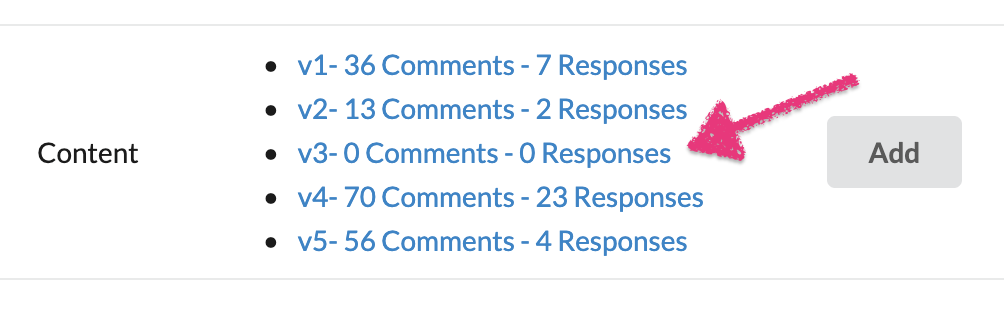
2. Let authors archive old chapter versions. Not just to hide embarrassing OG versions (lmao), but a couple of times I uploaded a new version of a chapter, then immediately made one more tweak, so now there’s an untouched V3 sitting there that I can’t delete. D’oh! I kept worrying I’d overwhelm readers if they saw five versions listed for a single chapter, even if they only needed to read the latest one. So an option to archive/delete versions would be fab.
3. Let authors opt out of notifying readers of chapter updates. Sometimes I wanted to quietly tweak a chapter toward the end of the manuscript that no one even reached yet. But every update triggers a digest email to the whole team. Ack! Adding a “Notify readers? yes/no” checkbox on the upload screen would solve this. My workaround was to send an email to team members 1-2 days after they received their welcome email advising them to ignore these digest emails from StoryOrigin. See my copy for this email here.
4. Let authors download responses and in-line comments. A CSV export of everything my readers said would have been enormously useful, for two reasons:
I could build my own checklist of tasks to work through (especially since there’s no Status column yet—see #1 above).
I could compile my favorite reader quotes for marketing material later. Instead, I manually went through and screenshotted each comment I wanted to save. I compiled my favorites in a PowerPoint, with a chapter for each slide—not the most elegant solution. A real export would’ve saved so much time. (By the way, in my beta reader team application, I asked for approval to use comments for marketing material.)
5. Let authors leave emoji replies readers can see. I agree it’s best not to allow author replies; this could inadvertently set expectations that authors should reply to individual comments, overwhelming the process. But there were so many times I wanted to react to comments with the joy emoji, heart, or thumbs up, and readers in my Discord expressed they wanted to see my reactions to their reactions, too. Adding a simple emoji response option would be lovely!
6. Let authors mute specific readers when reviewing inline comments. Before I started using StoryOrigin, I heard an anecdote from an author where one reader left a boatload of nitpicky, off-topic comments, and since there’s no way to filter out individual readers, it cluttered their comments sidebar and overwhelmed them. I worried how I’d handle this scenario; the only other option is to restrict access to the document, but I wouldn’t want anyone to feel sad I kicked them out! Thankfully, my readers were great. But this could have easily created some extra stress, which a filtering capability could solve.
There are other features that can use some tweaks—for example, you only get one text block for the application. But I prefer hosting my application on a Google Form anyway, so it’s not a feature I’m clamoring for StoryOrigin to improve. (See how I handled this here.)
So was it worth it?
YES!! Despite these few snags, StoryOrigin kept running a 30-person beta team from becoming a logistical nightmare. The whole process felt manageable, and it created an extremely fun experience for me AND my readers.
Since You’re Overthinking This doesn’t launch until November, I don’t have any sales or ratings data yet to provide quantitative evidence that the manuscript’s quality reflects all this effort. But the audiobook rights did go to auction six months before release (AHHHHHHHHH!), so that’s an extremely happy result, and I’m so, so grateful for my beta team. 😭🫶
So, overall, two thumbs up, and I highly recommend StoryOrigin’s Beta Copies tool to indie authors who are running beta teams. If you have any questions, let me know in the comments below! I’d love to hear from you.

Such valuable information… thank you!
So useful, thank you! and sorry about your cat passing in April, ouch.
I am interested in fostering reader<>writer relationships, too -- I'll need readers for my first novel this year! -- and so I just launched a new website for readers to mark up writer's drafts. if you are interested, please check my feed for a link to a real draft-review request to see it in action. and earn tips and a monthly share of prize-funding!